
There's a good chance your website has four pages: Home, About, Services, and Contact. Maybe a gallery or a testimonials page. It looks fine. It says what you do and how to reach you.
But Google isn't sending you traffic. And you're not sure why.
Here's the short answer: your website is a brochure. It tells people who already found you what you do. But it doesn't help people who don't know you yet find you in the first place.
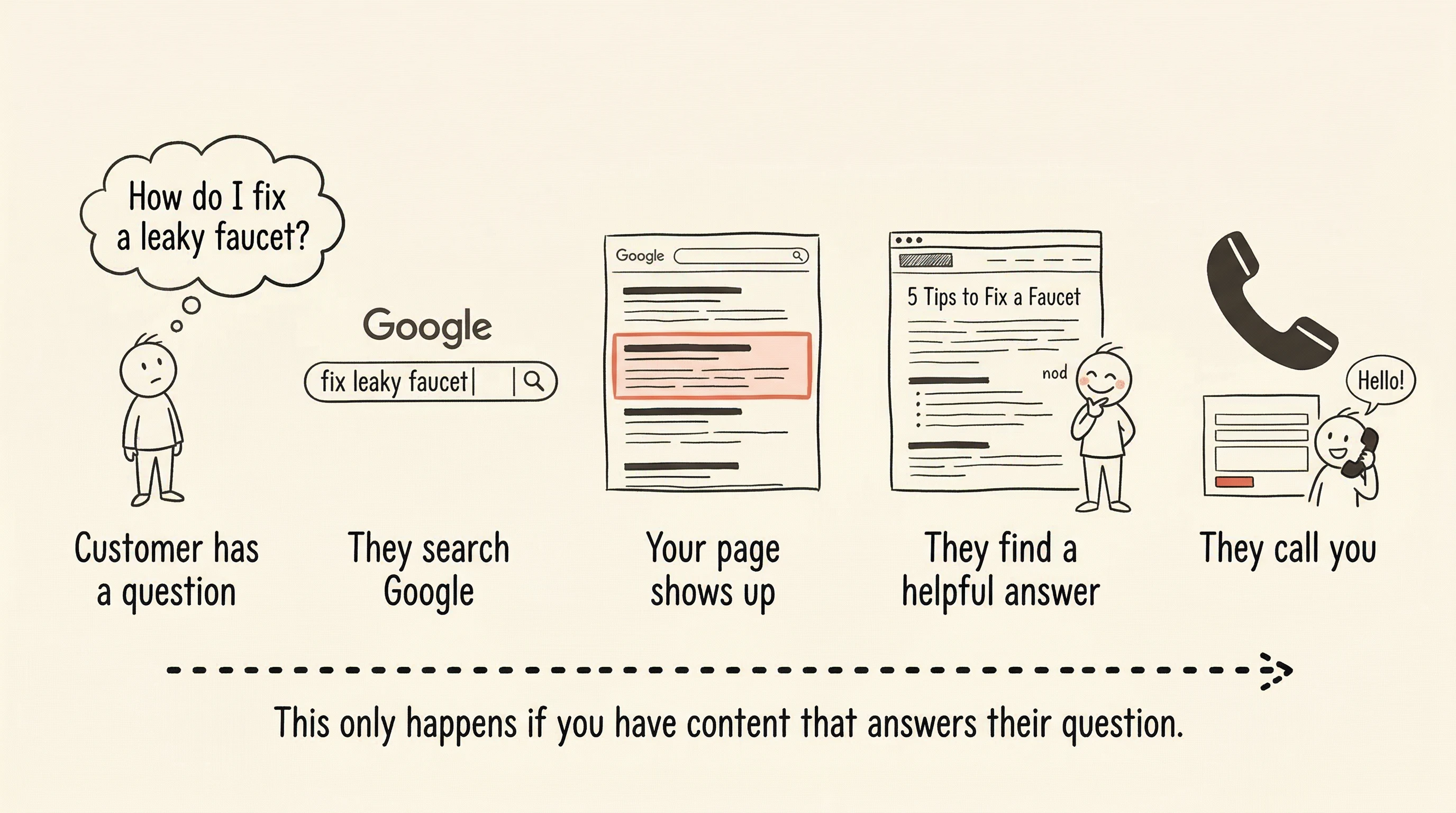
The way people find businesses through Google is by asking questions. And if your website doesn't have pages that answer those questions, you're invisible to the exact people who are looking for what you offer.
The good news: you already know the answers. You just need to find out what the questions are.

How Google actually sends people to business websites
When someone needs a plumber, they don't usually type "plumber near me" and click the first organic result. They Google the problem: "water heater making banging noise" or "how to fix a running toilet" or "cost to replace kitchen faucet."
When someone's looking for a hair salon, they might search "balayage vs. highlights difference" or "how often should you get a haircut." A real estate agent's potential clients are searching "how much can I afford for a house on 60k salary" or "what to look for during a home inspection."
Every service business has dozens — sometimes hundreds — of questions like these floating around in Google. People search them every day.
If your website has a page that answers one of those questions clearly and helpfully, Google will show it in the results. That person reads your answer, sees you know what you're talking about, and now they know your business exists. Some of them become clients.
This is how content marketing works for local and service businesses. Not by writing salesy blog posts about why your business is great. By answering the real questions your potential clients are already asking.
The problem: you don't know which questions to answer
You get the concept. Write helpful content, attract people through search, turn some of them into clients. Makes sense.
But what exactly should you write about?
You could brainstorm a list of topics based on what clients ask you in person. That's a decent start, but it has a major blind spot: you don't know whether anyone is actually typing those questions into Google, and you don't know whether your site can realistically show up for them.
You could try a keyword research tool. You've maybe tried this already. You Googled "keyword tool," typed in something related to your business, and got back a wall of data — hundreds of keywords with numbers you don't understand next to each one. Volume. Difficulty. CPC. Trend lines. You had no idea what any of it meant, and you certainly didn't walk away with a clear answer about what to write. So you closed the tab.
That experience is remarkably common among business owners. The tools were designed for marketing professionals who interpret keyword data for a living. They weren't designed for a salon owner who needs to know, in plain language, what blog post to write this week.

What you actually need from a keyword tool
As a business owner, you need a keyword tool to answer two questions. That's it.
Does this topic fit my business? If you're a plumber, "how to unclog a drain" fits. "Best bathroom paint colors" is tangentially related but doesn't position you as a plumbing expert. "How to install a kitchen backsplash" is home improvement, not plumbing. The tool should know the difference.
Is this topic a realistic opportunity for my website? Some topics are completely dominated by huge websites — national brands, major publications, sites that have been building content for years. Your five-page business website isn't going to rank for "how to fix a leaky faucet" when Home Depot, The Spruce, and Bob Vila already own the entire first page. But "water heater pilot light keeps going out" might be wide open. The tool should tell you which is which.
Fit and opportunity. That's all you need. If the answer to both is yes, it's worth writing about. If either is no, move on to the next option.
What this looks like in practice
With SitePerfector's keyword suggestions, the process is straightforward. You enter your website and describe what your business does. The tool looks at real Google search data, checks what people in your area of business are searching for, and comes back with a list of suggested topics.
Each suggestion is marked with two things: whether it fits your business's niche, and whether it's a good opportunity for your site right now. Not a score out of 100. Not a spreadsheet of metrics. A clear answer — fits or doesn't, good opportunity or not.
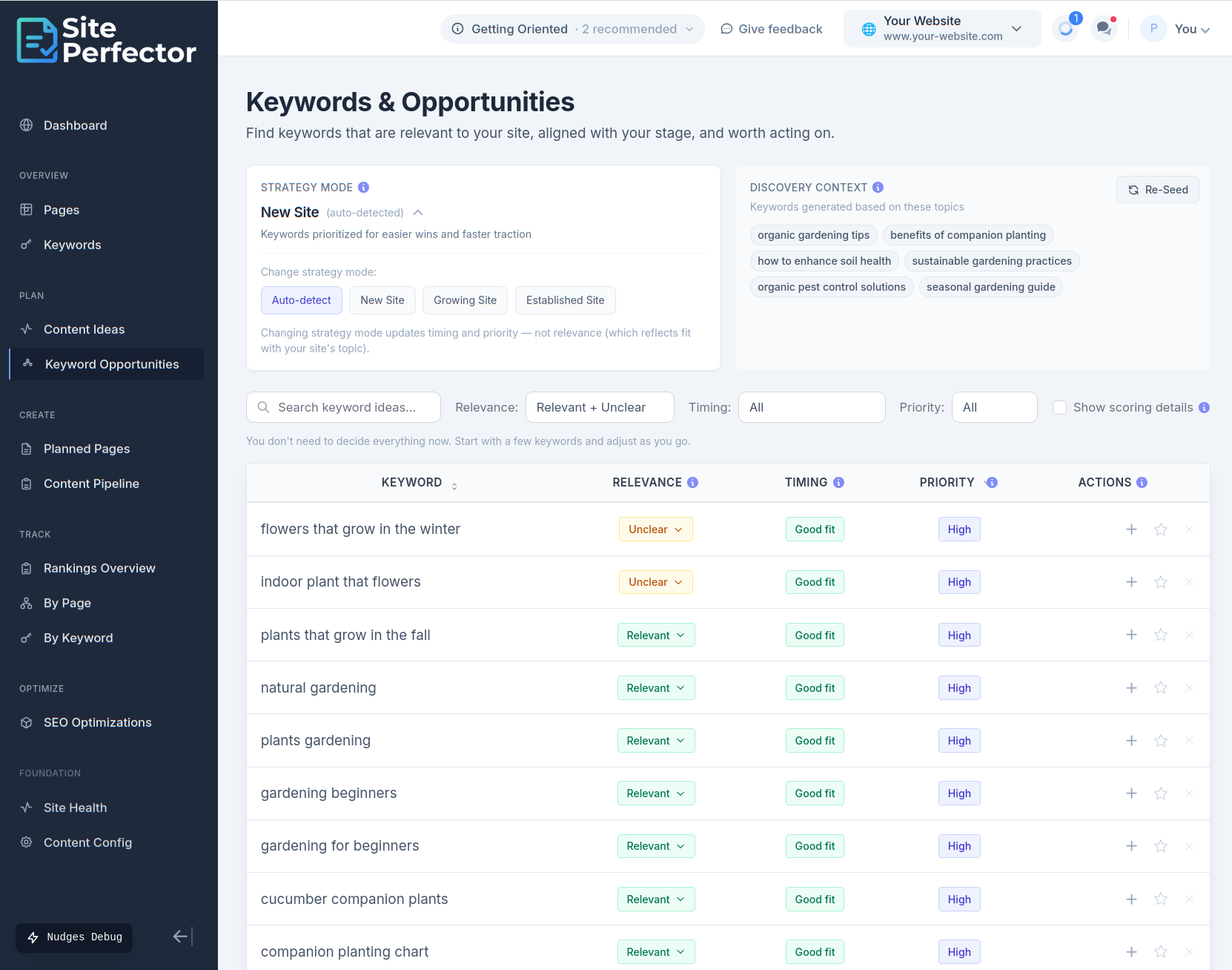
The list is already filtered before you see it. Irrelevant topics are removed. Keywords your site can't realistically compete for are removed. What's left is a short list of topics that are actually worth your time — questions your potential clients are searching for, where your website has a real chance of showing up in the results.
For a business owner without a marketing team, that's the difference between "I should blog but I don't know what about" and "I know exactly what to write about next."
From topic to published page without switching tools
You've picked a topic from the list. Say you're a plumber and you chose "how much does it cost to replace a water heater." Now what?
In most setups, you'd copy that phrase, open a Google Doc, paste it as a title, stare at the blank page for a while, and maybe get around to writing something this week. Or next week. Or never.
A better setup takes that keyword and turns it into a planned piece of content right there — part of a pipeline you can see, with a clear next step. Need an outline? Generate one from what's already ranking for that topic. Ready to write? Do it in the same system. Done? Publish.
The point is: every extra step between "I found a topic" and "I'm writing about it" is a place where a busy business owner stops. One system that handles the whole flow — from finding the topic to publishing the page — keeps the momentum going.
Your clients are already searching for what you know
Here's what it comes down to. You have expertise that your potential clients need. They're already going to Google to ask questions that you answer every day in person. The gap between their question and your business isn't your knowledge — it's whether your website has a page that answers it.
Finding out which questions to answer doesn't require learning SEO or interpreting data. It requires a tool that looks at real search data, checks what fits your business, filters out what's not realistic, and tells you in plain language: write about this.
That's what SitePerfector is built to do. Not to make you an SEO expert — to give you a clear, honest list of topics that can bring the right people to your website.
Because the content your business needs to create isn't complicated. It's the answers you already have, written down where people can find them.