
Think about your physical location for a second. If the front door was stuck and customers couldn't get in, you'd fix it today. If the lights were flickering and making the place feel sketchy, you'd call an electrician. If your phone was broken and calls weren't coming through, you'd notice within hours.
Now think about your website. When was the last time you checked that every link works? That every page loads quickly on a phone? That your site doesn't show a security warning when people visit?
Most small business owners haven't checked. Not because they don't care — because they don't know there's anything to check. The website was built, it looked good, and they moved on. But websites don't stay frozen in time. Things break. And unlike your front door, nobody knocks to tell you.

Your website is your first impression
When someone in your area searches for the service you provide — "plumber near me," "best salon in [your town]," "real estate agent [your neighborhood]" — they see a list of results. They click on one. Maybe yours.
What happens next determines whether they call you or hit the back button and try someone else.
If your page loads quickly, looks professional, and makes it easy to find your phone number or contact form — they call. If the page takes forever to load, if a link sends them to a dead page, if their phone shows a "Not Secure" warning at the top of the screen — they leave. They don't think "I should try refreshing" or "maybe it's just my connection." They think "this doesn't seem right" and they click the next business in the list.
You never know this happened. There's no missed call to see. No message saying "I tried to visit your website but it didn't work." The customer simply found someone else.
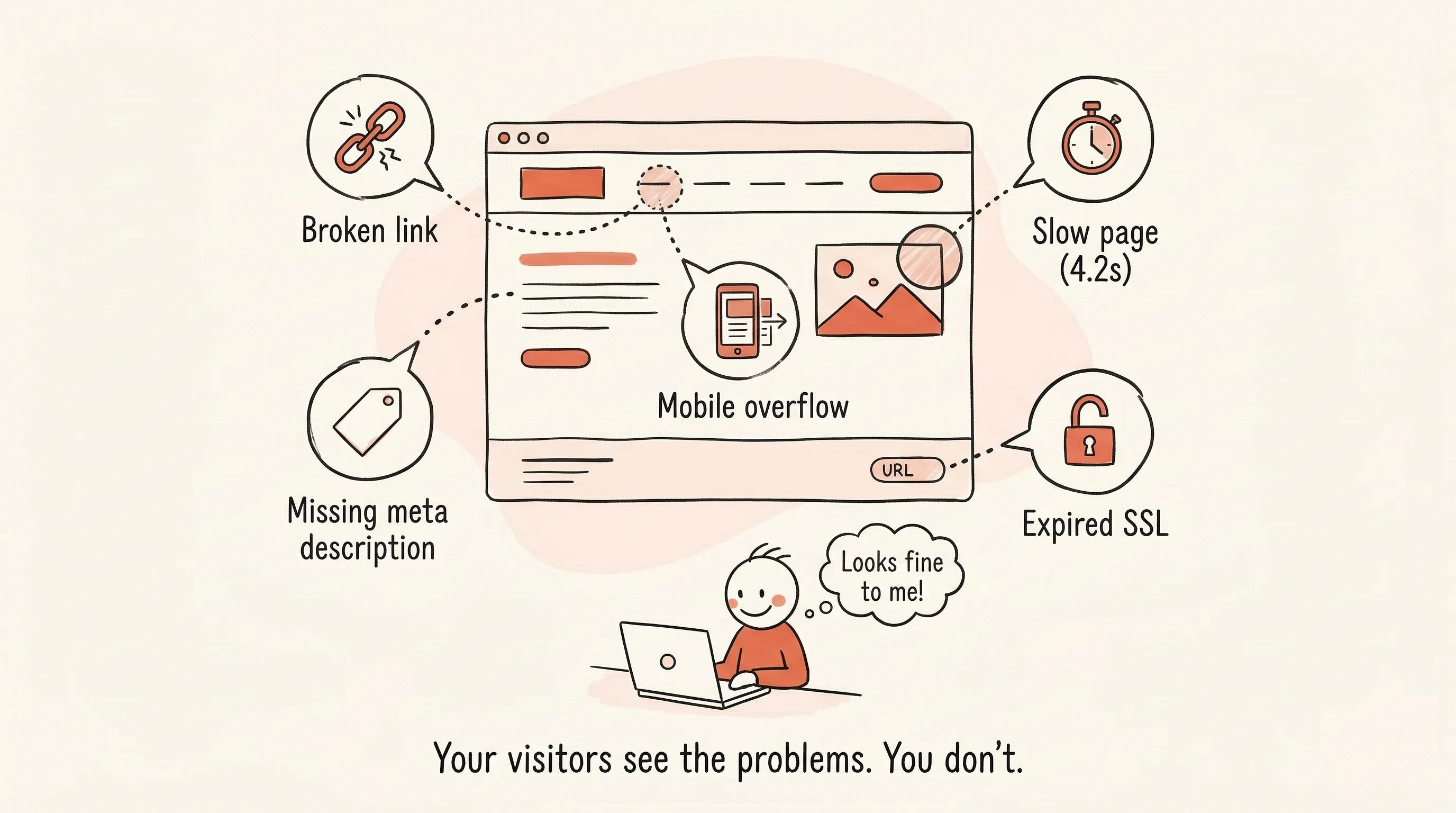
The problems that drive people away
Here's what these issues actually look like from your customer's perspective — not in technical terms, but in real-life experience:
Broken links. A customer clicks the "Our Services" link in your menu. Instead of your services page, they get an error — usually a page that says "Not Found" or "This page doesn't exist." To you, it's a link you forgot to update when you reorganized your site. To them, it's a dead end that makes your business seem neglected.
Slow loading. The customer taps your link from Google. The page starts loading... and loading... and loading. After three or four seconds, they give up. They're on their phone, standing in line at a coffee shop, and they're not going to wait. Slow pages are often caused by images that are too large or a hosting provider that's underperforming — things you'd never notice because you rarely visit your own site.
"Not Secure" warnings. When a visitor opens your site, their browser might show a warning icon or the words "Not Secure" near the web address. This happens when your site's security certificate has expired or isn't set up correctly. Most people don't know what a security certificate is, but they know what "Not Secure" means to them: this site might not be safe. For a business that handles customer information — even just a contact form — this is a trust-killer.
Pages that look broken on phones. More than half of your visitors are on mobile devices. If your text is tiny, your buttons are too close together, or images spill off the edge of the screen, the site feels broken. Even if it looks great on a desktop computer, a bad mobile experience drives people away.

Why you probably don't know about any of this
Your website looked fine when it was built. And if you check it on your own computer, it probably still looks fine to you. But websites change over time in ways that aren't visible during a casual glance:
- The hosting company updates their systems and your site slows down slightly. Then a bit more. Then a bit more.
- You remove a service you no longer offer and forget that three pages on your site link to the old service page.
- Your security certificate auto-renewal fails quietly. The site keeps working, but browsers now show a warning.
- A website you linked to in a blog post shuts down. That link now goes nowhere.
None of these changes announce themselves. There's no popup, no email, no alarm. They accumulate silently, and the only visible effect is a gradual decline in phone calls and form submissions that you might attribute to anything else — your advertising, the season, the economy.
A five-minute check you can do right now
Here's something concrete you can do today: open your website on your phone and tap through it like a customer would.
Start on the homepage. Does it load in a couple of seconds, or does it hang? Look at the address bar — do you see a padlock icon (good) or a "Not Secure" warning (bad)?
Tap your main menu links. Does every page load? Do the links go where they should?
Try your contact form. Does it actually submit? Do you receive the message?
Tap any buttons that say things like "Book Now," "Get a Quote," or "Learn More." Do they all go somewhere useful?
This takes five minutes, and it catches the most obvious problems. But doing this across every page of your site, on a regular basis? That's not realistic when you're running a business. Which is where automation comes in.
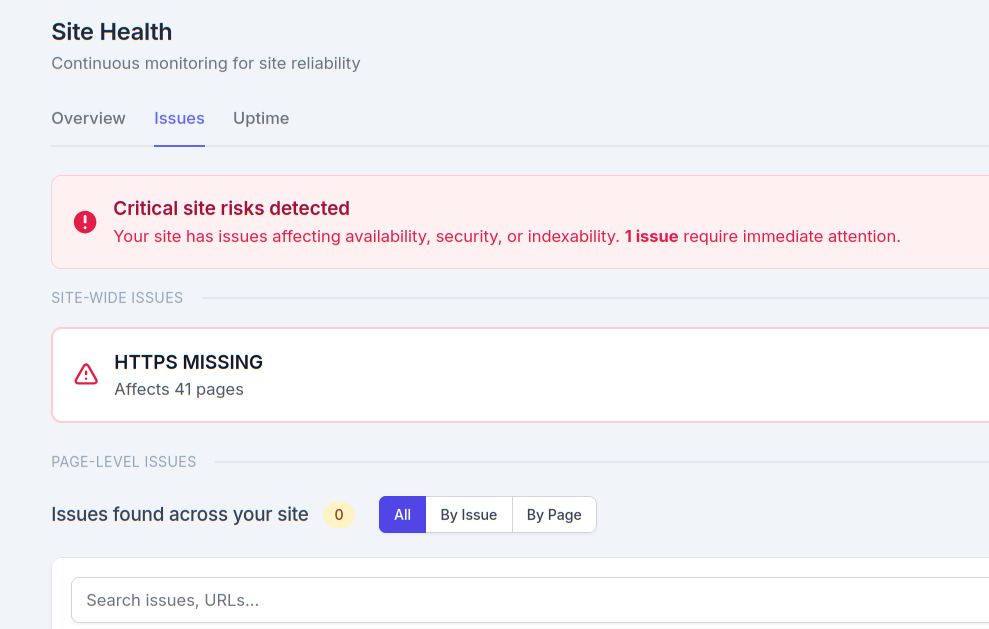
Let something watch your website for you
The answer to website maintenance for a small business owner is not "learn to run technical audits." You have a business to run. The answer is having something that scans your site regularly and only tells you when there's a problem — in words you understand.
Not a report with scores out of 100 and technical terms you'd need to Google. Not a weekly email full of warnings that mostly don't matter. Just a simple, specific alert when something actually needs your attention:
"Your Contact page has a broken link."
"Your homepage is loading slowly on mobile."
"Your security certificate expires in 3 days."
You fix it, or you forward it to whoever manages your website. Then you get back to work.
SitePerfector's site health checks do exactly this. Automatic scans run in the background — you don't set them up, trigger them, or think about them. When something needs fixing, you get a plain-language alert that tells you what's wrong, which page is affected, and what to do about it. When everything's fine, you hear nothing.
Your website is open for business 24 hours a day. It should work like it, too — and now you don't have to be the one constantly checking.