
Most business websites have the same five pages: Home, About, Services, Testimonials, Contact. Maybe a few photos. Maybe a map.
And that's fine — as a starting point. But right now, people in your area are typing things into Google like "best plumber near me," "how to choose a financial advisor," and "emergency roof repair [your city]." If your website doesn't have content that answers those searches, they're finding your competitor instead.
This isn't about becoming a blogger. It's about giving your website something to say when potential clients come looking.

Your website can do more than sit there
Think about how you find businesses yourself. You search for what you need. You click on the results that look helpful. You read enough to decide whether to call, book, or keep looking.
Your potential clients do the same thing. And the businesses that show up in those search results aren't necessarily the best at what they do — they're the ones whose websites actually answer the question being asked.
A plumber whose website has a page explaining "What to do when your water heater is leaking" shows up when a homeowner searches for exactly that problem. A financial advisor with a page on "How to start saving for retirement in your 40s" shows up when someone searches that question at midnight. A salon with a page comparing different hair treatments shows up when someone is deciding what to book.
This is what content does for a local business. It's not blogging for fun. It's putting the right information on your website so that people who need your services can find you.
The part that stops most business owners
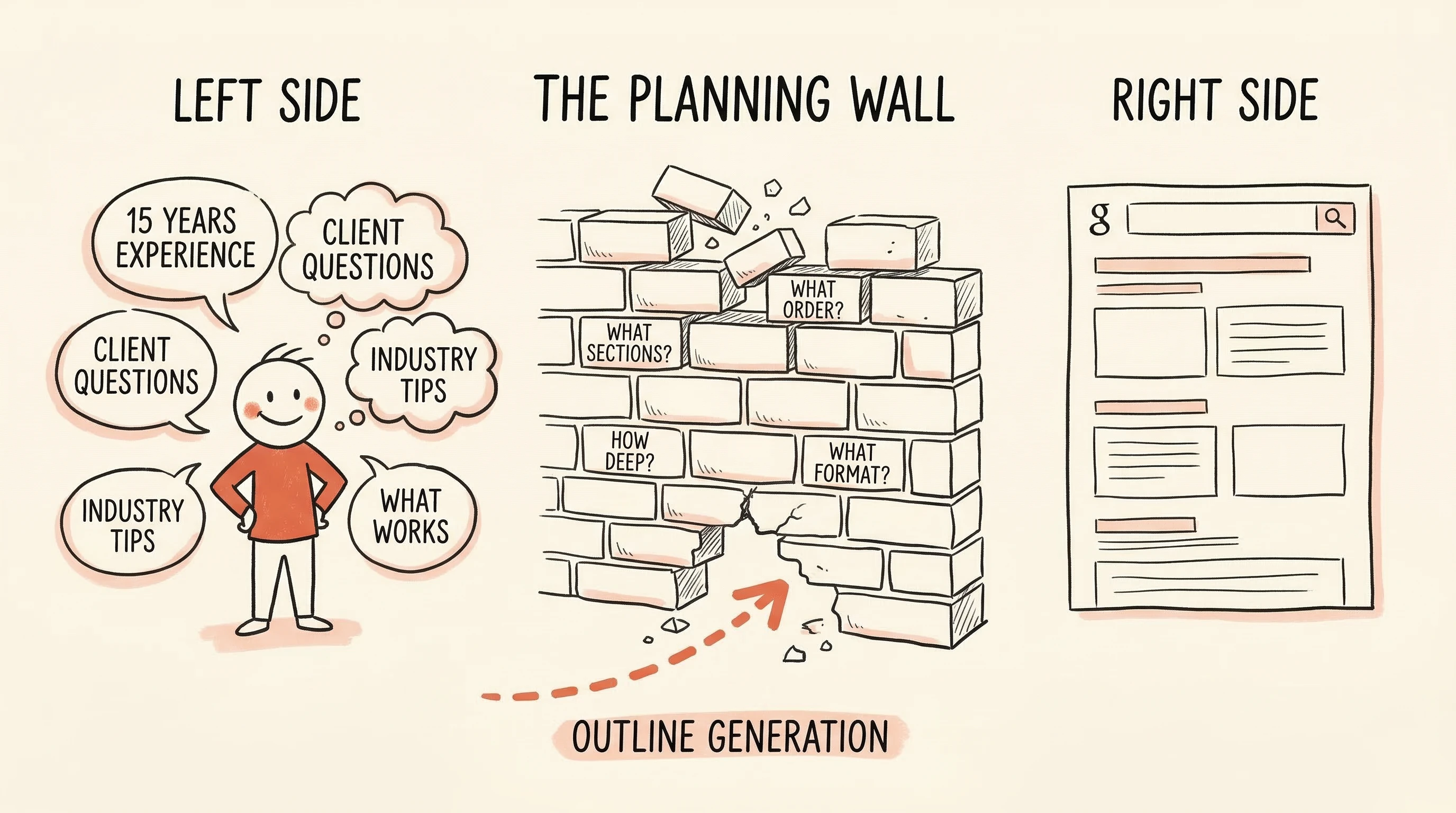
You might already know this. You might have even thought about adding some pages to your site. But then you opened a blank document and immediately hit a wall.
What should a page about roof repair even look like? What sections should it have? Should you explain the repair process? List the warning signs? Talk about costs? Compare different materials? How do you know what people actually want to read?
If you're a plumber, you know plumbing. If you're a financial advisor, you know financial planning. But you don't know how to structure a web page that answers a search query effectively. Why would you? That's not your trade.
This is the planning wall. It's not about writing skill — most business owners can explain their services clearly when talking to a customer. The problem is figuring out the structure: what goes on the page, in what order, and at what depth.
And that's exactly the step that can be done for you.

What if someone handed you a ready-made plan?
Imagine this: you type in your topic — say, "how to choose a roofer" — and you get back a structured plan for a complete web page. Not a blank template. A plan with specific sections, in a logical order, covering the points that people searching for that topic actually want answered.
That plan isn't random. It's built by analyzing the pages that already show up at the top of Google for your topic. If every top-ranking page about choosing a roofer includes a section on checking licenses and insurance, your plan includes that too — because that's what searchers are looking for.
This is what SitePerfector's outline generation does. You enter your topic, choose the type of page you want (a guide, a how-to, a comparison), and add any notes — maybe you want to mention a specific service area or a common problem your clients ask about. The system looks at what's actually ranking for your topic and builds a structured outline from it.
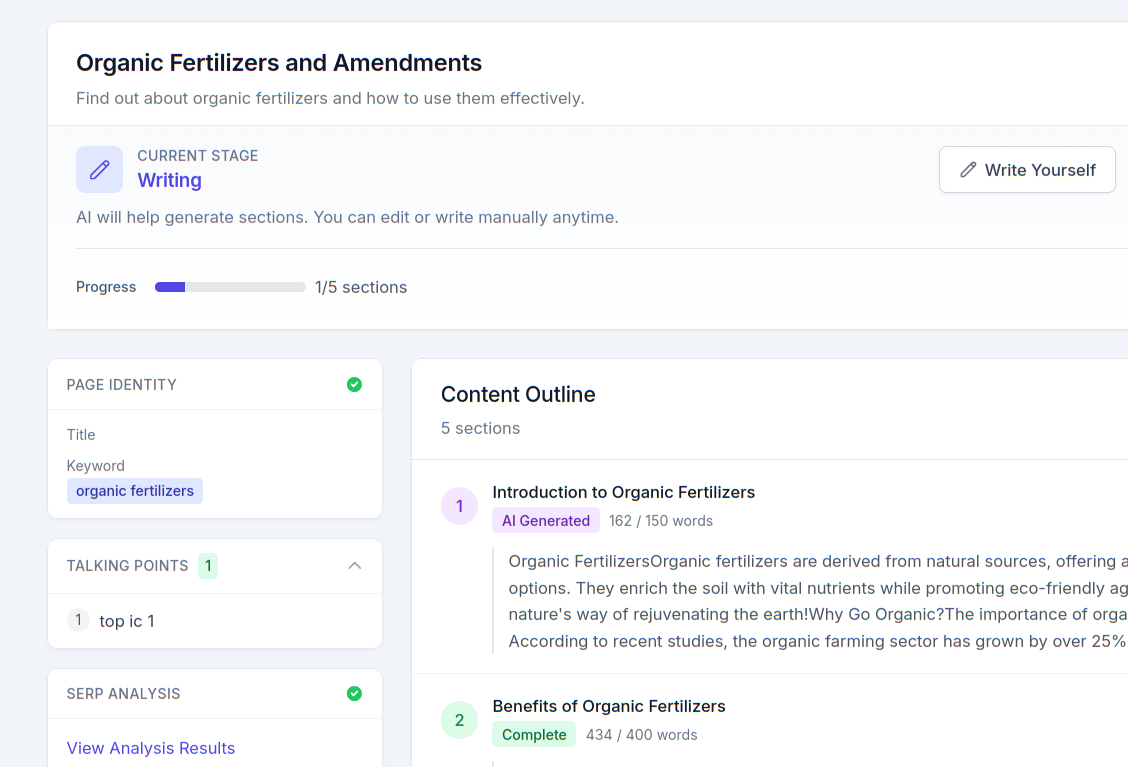
What you get back is a section-by-section plan. Not a finished page — a plan. With clear headings, a logical flow, and coverage of the subtopics that matter. Think of it as a blueprint that tells you exactly what the page needs to include.
You bring the expertise — the tool handles the structure
Here's the important part: the outline handles the structure. You handle the substance.
Nobody knows your business better than you. You know the questions clients ask when they call. You know the mistakes homeowners make before calling a professional. You know the things people should look for and the red flags they miss. You know what makes your service different from the company down the road.
The outline tells you where to put all of that knowledge. Instead of staring at a blank page, you're looking at a series of sections with clear headings and prompts. It's closer to filling out a smart form than writing an essay from scratch.
For example, imagine an outline for "How to choose a financial advisor" that includes these sections:
- What to look for in qualifications and credentials
- Questions to ask during an initial consultation
- Fee structures and what they mean for you
- Red flags that should make you keep looking
- How to know when you've found the right fit
You already know the answers to all of that — you've explained it to prospective clients a hundred times. The outline just organizes your knowledge into a structure that works for a web page. You write each section the way you'd explain it to a client sitting across from you.
You don't have to write it alone
Once the outline is built, you have options for how the actual writing gets done.
Write it yourself. The outline gives you a section-by-section roadmap. You work through each section, writing in your own words. It's the most hands-on approach, and it produces the most authentic result — because it's literally you explaining your business.
Use AI to help with the writing. For each section, you can let AI generate a first draft based on the outline. Then you read it, adjust it, add your specifics, and make it sound like you. This is faster than writing from scratch but still gives you full control over the final result.
Hand it to someone else. If you have a marketing person, a freelancer, or someone on staff who handles the website, the outline works as a content brief. It tells them exactly what the page needs to cover, in what order, and at what depth. They write it. You review it. Done.
You can also mix approaches — write the sections you feel strongly about yourself and let AI handle the more straightforward informational parts.
The point is that the hardest step — figuring out what the page should say and how it should be organized — is already done. How you get from outline to finished page is your call.
Start with one page
You got into business to serve clients, not to figure out website content. And you shouldn't need to spend an afternoon researching how to structure a web page about what you already know.
The planning part — what to cover, what order, what your potential clients are actually searching for — can be handled for you. That leaves you with the part only you can do: sharing what you know about your business in a way that helps people decide to work with you.
Start with one service. One topic. One page. See how it feels to go from "I have no idea how to structure this" to "here's a plan — now I just need to fill it in."
That first page might be the one that brings in your next client.