
You're doing the work. Researching keywords, writing posts, building internal links, promoting on social. Your content is solid. But some of your posts aren't ranking as well as they should, and you can't figure out why.
Before you rewrite that article for the third time, consider the possibility that the problem isn't your content. It might be your site.
Technical health — the stuff happening under the hood of your blog — directly affects how search engines crawl, index, and rank your pages. And for bloggers who publish frequently, technical problems accumulate faster than you'd think.

The invisible drag on your content
Here's the scenario that plays out more often than most bloggers realize: you write a great post, optimize the headings, target the right keyword, build a few internal links. You publish it, share it, and wait. It shows up on page three. Months pass. It barely moves.
You assume the content needs work. Maybe the keyword was too competitive. Maybe the post isn't long enough. Maybe you need more backlinks.
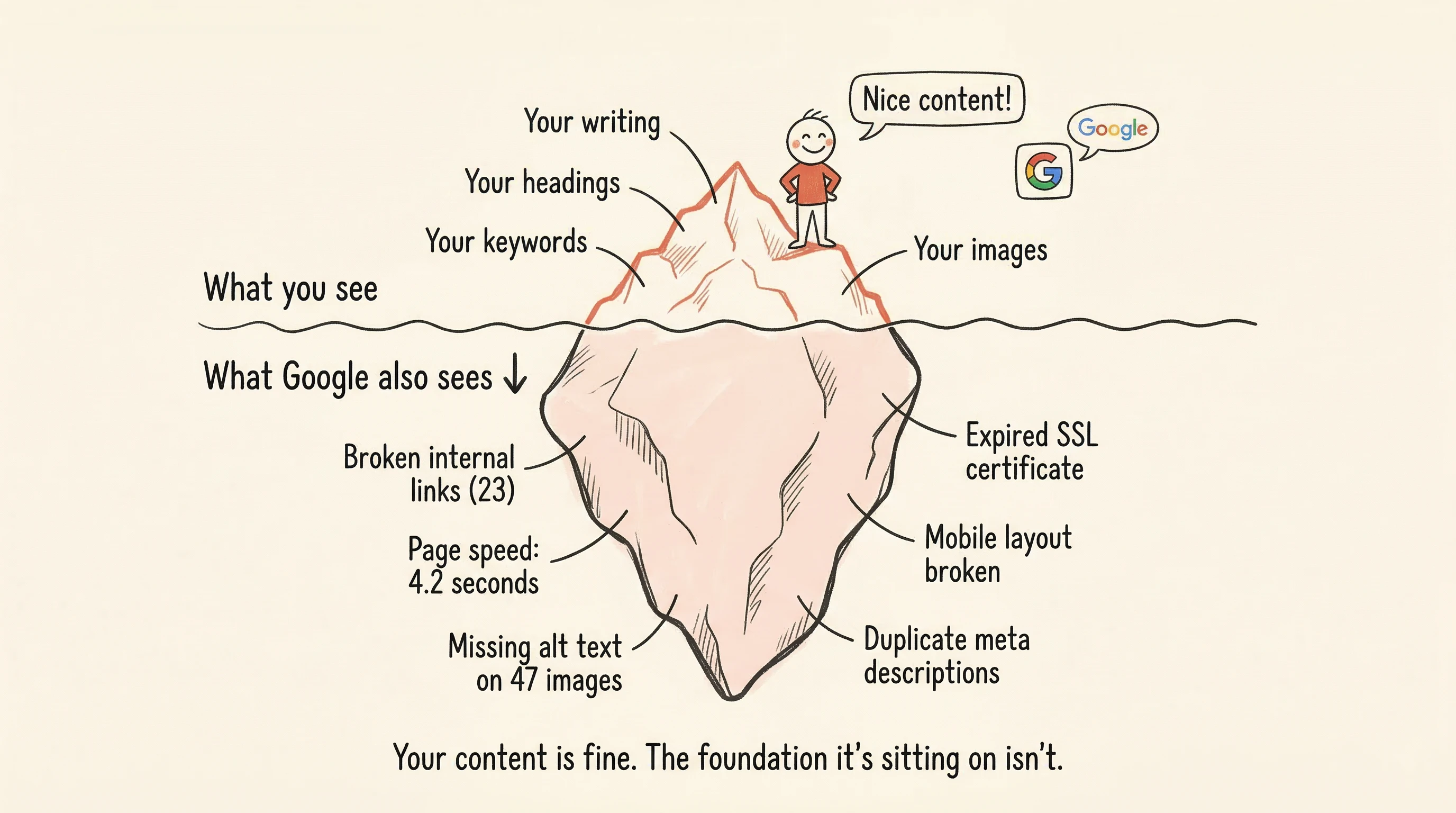
Sometimes those explanations are right. But sometimes the real issue is simpler and more frustrating: your site has technical problems that are holding everything back. A post that would rank on page one on a healthy site ranks on page three because the site underneath it has broken links, slow load times, and missing metadata that search engines care about.
The worst part is that you'd never know by looking at your content alone. The content is fine. The foundation it's sitting on isn't.
The short list of what actually matters
You don't need to become a developer or learn to read server logs. There are four technical issues that matter most for bloggers, and none of them are complicated to understand:
Broken internal links. When you link from one post to another and that destination page has been updated, renamed, or deleted, the link breaks. The reader clicks and gets an error page. Search engines follow that link, find nothing, and note it. A few broken links aren't catastrophic, but when you have dozens — which happens fast on a blog with 50+ posts — the cumulative effect drags down your site's perceived quality.
Page speed. Blog posts tend to be image-heavy, and images are the most common cause of slow pages. An image that's 3MB when it could be 200KB makes your page take seconds longer to load. Multiply that across several images per post, and your site becomes noticeably sluggish. Search engines measure this, and visitors feel it. Slow pages get fewer readers and lower rankings.
Missing image descriptions (alt text). Every image on your site can have a short text description that tells search engines what the image shows. When these are missing — and on most blogs, they're missing on the majority of images — search engines can't fully understand your content. It's also an accessibility issue: screen readers use this text to describe images to visually impaired visitors.
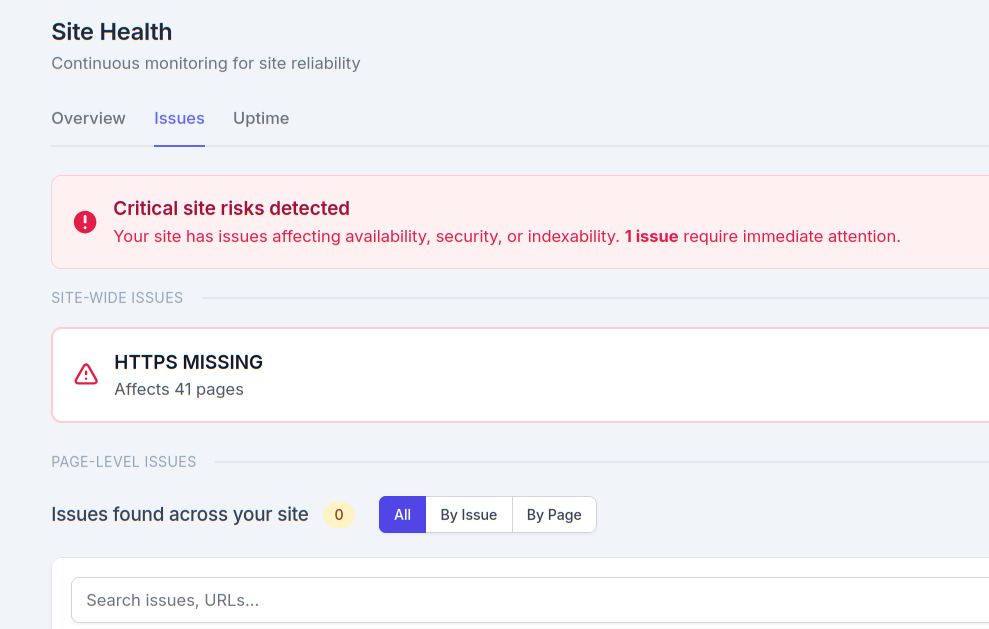
Security (SSL). If your site doesn't have a valid security certificate, browsers display a "Not Secure" warning. This makes visitors uneasy and bounce faster. Search engines also treat secure sites favorably over insecure ones. Most hosting providers include SSL, but certificates can expire or get misconfigured without warning.
That's it. Four things. If these four are in good shape, your blog's technical foundation is solid.
Why bloggers have this problem more than most
A local business website might have 10 pages that rarely change. A blogger's site has 50, 80, 200 posts — and it keeps growing. Every post you publish adds more pages, more internal links, more images, and more opportunities for things to break.
Theme updates can change how images are handled. Restructuring your categories can break old URLs. Deleting a post you're embarrassed about can create broken links in the five other posts that linked to it. Moving to a new hosting provider can change your site's speed profile overnight.
This isn't a flaw in how you work. It's the nature of running a growing content site. The more you publish, the more technical surface area you create. And unlike a static business site, a blog is constantly changing — which means the technical health needs to be monitored continuously, not just checked once during setup.

How to check without becoming a developer
The worst approach is trying to do this manually. Clicking through every post, testing every link, checking every image — on a blog with any significant number of posts, this is hours of tedious work that needs to be repeated regularly.
What you actually need is something that scans your entire site automatically and tells you, in plain language, what needs attention. Not a report full of performance scores and technical jargon. Not a letter grade that tells you nothing about what to fix. Just specific information: which pages have problems, what the problems are, and what to do about them.
"Your post 'How to Start a Garden in a Small Space' has 2 broken links." That's useful. You can fix that in five minutes.
"Your site health score is 73/100." That's useless. What does 73 mean? What's dragging it down? Where do you start?
The difference between these two approaches is the difference between monitoring that helps and monitoring that creates anxiety.
Make it automatic and move on
The right setup for a blogger is monitoring that runs in the background without your involvement. You write and publish content — that's your job. The technical health checks happen on their own, on a regular schedule you don't have to manage.
When something breaks, you get a clear notification. When everything's fine, you hear nothing. That silence is the point. You shouldn't have to think about your blog's technical health on days when nothing is wrong.
SitePerfector's site health checks work this way. Automatic background scans look for broken links, speed issues, security problems, and missing metadata across your entire site. When an issue is found, you get a plain-language alert with the affected pages and a suggested fix. No scores, no grades, no audit reports — just actionable information when you need it, and quiet when you don't.
Your content strategy is only as strong as the technical foundation it sits on. Keeping that foundation healthy doesn't have to be another job — it just has to be something that's being watched. So you can get back to writing.