
After a year of blogging, you've got 40, 60, maybe 80 posts. Some get steady traffic. Others seem dead. And every few weeks, you see advice that says "update your old content" — as if that tells you anything useful.
Which posts should you update? What specifically should you change? How do you know if the update even worked?
Without a system for answering these questions, "updating old content" is just another task on a list that never gets shorter. You either update posts randomly — whichever one you happen to open first — or you don't update at all because the whole thing feels too vague to act on.
There's a better approach, and it starts with one piece of data you might not be looking at: where each of your posts ranks on Google.

Your content library is an asset — treat it like one
When you're in the habit of publishing new posts, it's easy to forget about the old ones. Each week is about the next article, the next topic, the next deadline. The archive is out of sight, out of mind.
But your older posts are doing something right now — they're either earning traffic or losing it. A post you published six months ago might be steadily climbing in Google results without any help. Another one might have dropped from page 1 to page 3 while you weren't looking. A third might have never ranked at all.
The problem is that without checking, you don't know which is which. You might be spending time writing new posts about topics where you already have a perfectly good article that just needs a small improvement to reach page 1. Or you might be ignoring a post that's quietly driving most of your traffic.
Your back catalog isn't just an archive. It's a portfolio of assets that can appreciate or depreciate over time. Managing it is at least as valuable as adding to it.
The three buckets: performing, close, and invisible
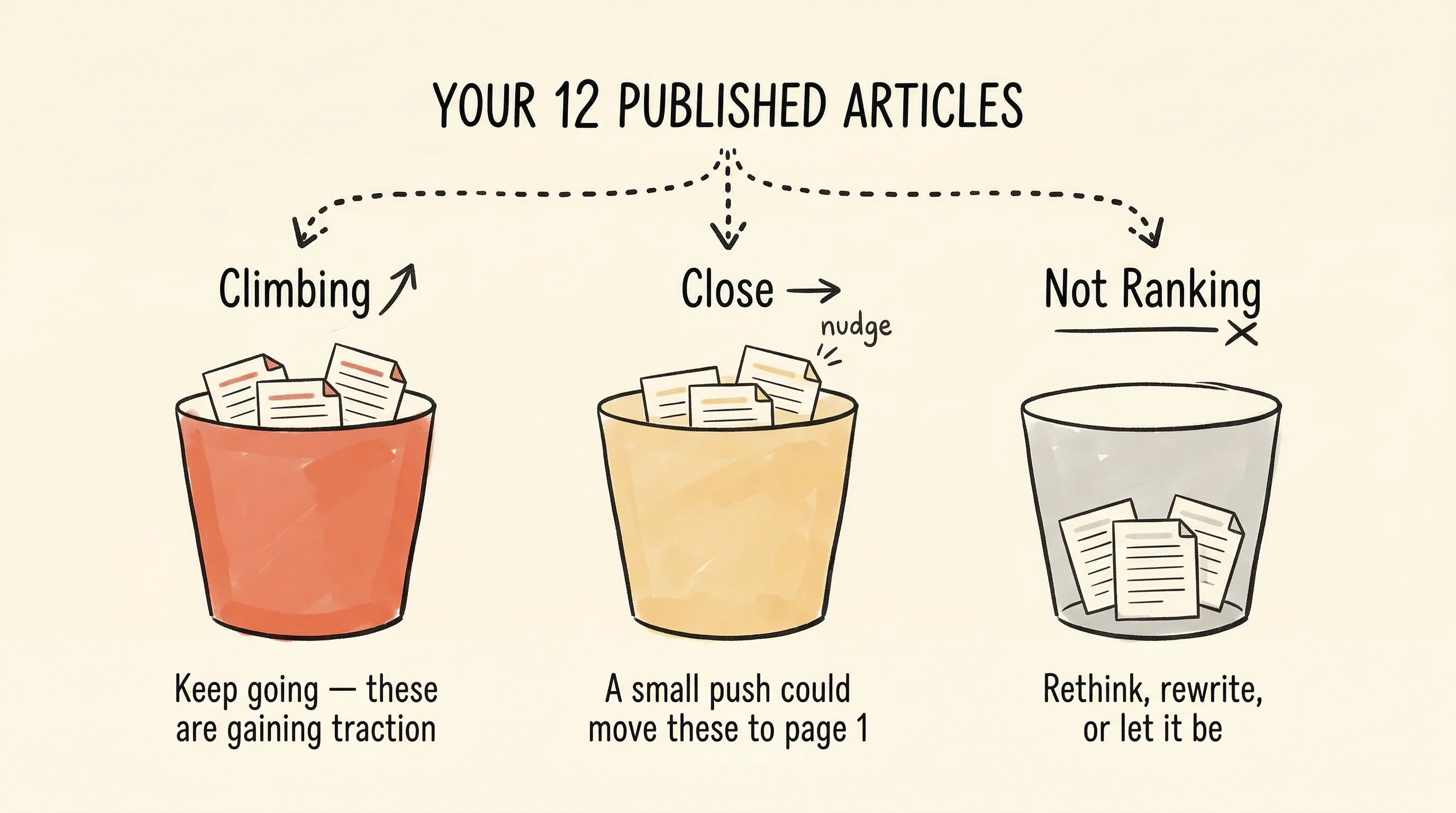
Here's the mental model that makes content management actionable. Every post on your blog falls into one of three categories based on where it ranks on Google for its target search term:
Performing (positions 1-5). These posts are doing their job. They're on page 1, getting clicks, bringing in readers. The right move is to leave them alone. Don't rewrite them, don't restructure them, don't "freshen them up" for the sake of it. If a post is ranking well, changing it is a risk with little upside. Monitor it — if it starts slipping, then investigate. But while it's performing, your time is better spent elsewhere.
Close (positions 6-20). This is the goldmine. These posts are good enough for Google to rank them but not good enough to reach the top of page 1. A post sitting at position 11 (top of page 2) is tantalizingly close to the traffic that page 1 gets. A small improvement — adding a missing section, strengthening the introduction, building internal links — can be enough to push it over the line.
Invisible (position 30+ or unranked). These posts either need major work, are targeting a keyword that's too competitive for your blog's authority, or are simply too new to have settled into a position. You can triage these, but they're usually not where your quick wins live.
The "close" bucket is where your time pays off most. And the only way to find your "close" posts is to look at your rank data.

How to spot your "almost there" posts
Open your rank data and filter for posts ranking between positions 6 and 20. These are your highest-leverage opportunities.
For each one, ask two questions:
Is the search term worth it? A post ranking position 8 for a search term that gets meaningful monthly searches is a much better candidate for improvement than one ranking position 8 for something nobody searches for. Focus on the posts where climbing to positions 1-3 would actually bring noticeable traffic.
What's missing compared to the posts above me? Look at the pages that rank in positions 1-3 for the same term. Read them. What do they cover that your post doesn't? Often, the answer is something specific: a section on a subtopic you didn't address, a more thorough explanation of a key point, a comparison table, or more recent information.
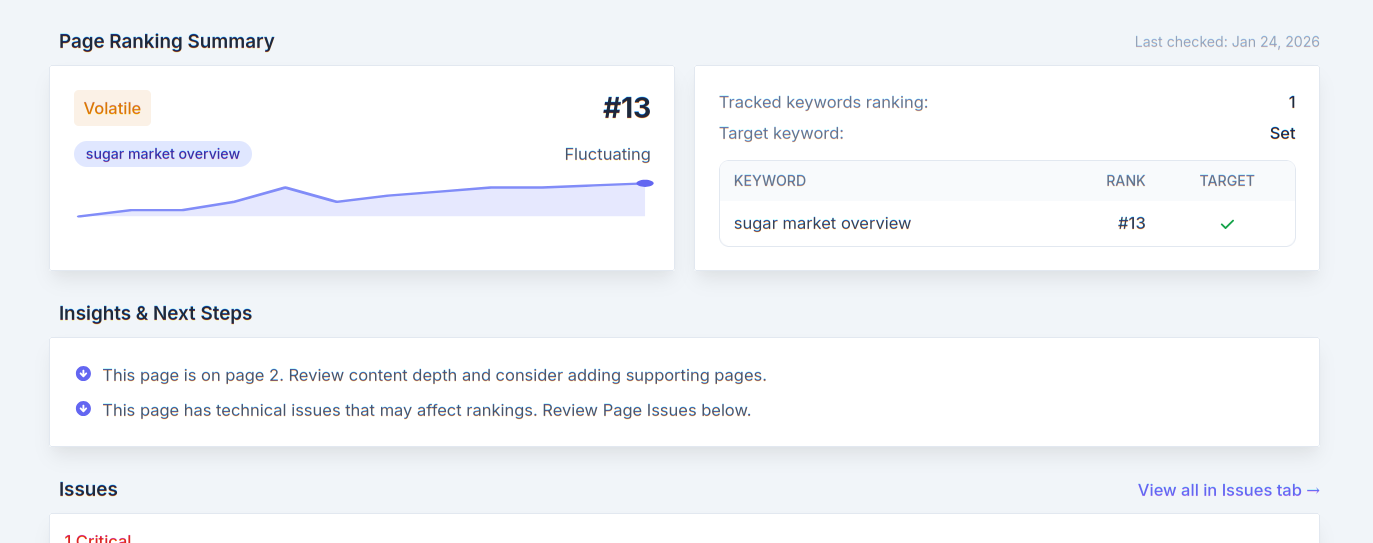
In SitePerfector's rank tracking view, each page shows its rank as a plain number — no clutter, no confusing dashboards. You can scan your entire content library and immediately spot which posts are in that 6-20 range. The tool also provides specific optimization suggestions based on what's actually ranking above you, so you don't have to do the competitive analysis manually.
What to change (and what not to change)
Once you've identified a "close" post to update, resist the urge to rewrite the whole thing. If Google already ranks the post in positions 6-20, the fundamental structure is working. A full rewrite can actually hurt — you might remove the parts Google likes.
Instead, make targeted improvements:
Strengthen weak sections. If a section is thin or vague, add depth. Include specifics, examples, or data. If you made a general point, support it with a concrete illustration.
Add what competitors cover and you don't. This is usually the single most impactful change. If every top-ranking post includes a section on "common mistakes" and yours doesn't, adding that section signals to Google that your post is comprehensive.
Update stale information. If your post references outdated tools, old statistics, or processes that have changed, updating those details signals freshness and improves the reader's experience.
Build internal links. Look at your newer posts — do any of them mention the topic of your "close" post? Add links from those newer posts pointing to the one you're improving. This tells Google the page is important within your site's content structure.
Don't change your voice. The worst update is one that strips out personality to make the post "more SEO-friendly." Your voice is what makes your blog different from the other results. Keep it.
Track the impact and build your instinct
After updating a post, watch its rank over the following weeks. Did it move? Did it jump from position 11 to position 6? Did it not budge? Did it drop?
This feedback loop is what transforms content maintenance from a vague chore into a repeatable strategy. Over time, you'll start to notice patterns on your specific blog: maybe adding comparison sections tends to boost your posts, or maybe internal linking consistently moves the needle. These patterns are yours — they're specific to your blog's niche, audience, and style.
The bloggers who grow their traffic consistently aren't the ones publishing the most new content. They're the ones who treat their entire content library as a living system — publishing new posts while systematically improving the ones that are close to breaking through.
You've already done the hard work of writing. Make sure that work is paying off.