
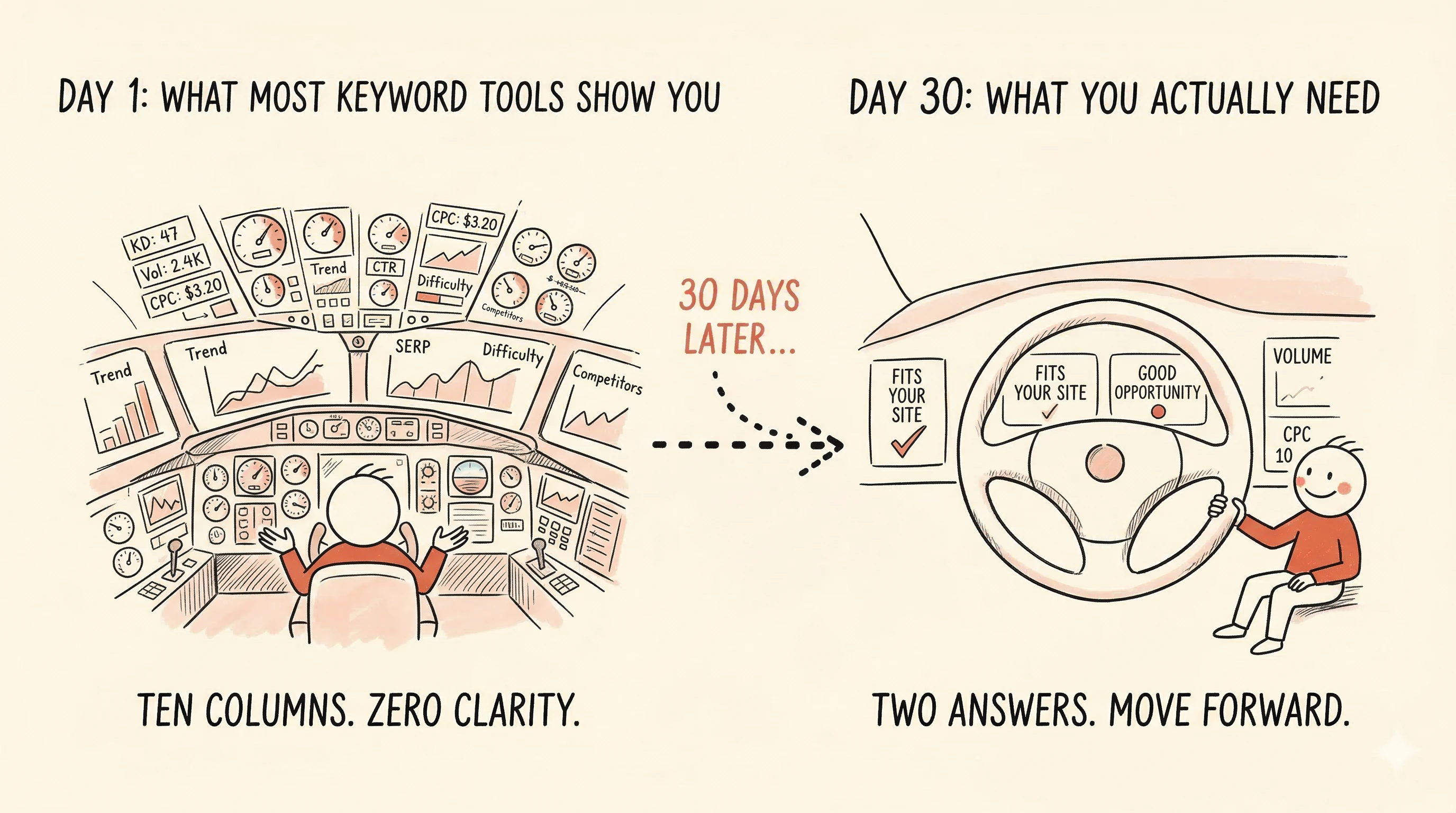
You open a keyword tool. You type in a topic related to your business. What comes back is a spreadsheet with ten columns.
Monthly search volume. Keyword difficulty. Cost per click. Competition index. Trend data. Click-through rate estimate. SERP features. And a few more you've never heard of.
Somewhere in those numbers is the answer to a simple question: should I write about this or not?
But good luck finding it.
The metric avalanche
Most keyword tools were built for SEO professionals — people who interpret keyword data for a living. The interface reflects that: the more metrics visible, the more "powerful" the tool feels.
For everyone else, it feels like being handed a cockpit dashboard when all you needed was a steering wheel.
You don't need to know the exact monthly search volume of a keyword. You don't need to interpret a difficulty score of 43 versus 47. You definitely don't need to factor in cost-per-click data if you're not running ads.
What you need is an answer. Is this topic worth writing about — for my site, right now?
More data doesn't mean better decisions
There's an assumption baked into most keyword tools: showing more data leads to better choices. It doesn't. It leads to slower choices. Or no choice at all.
This is what SEO paralysis looks like: you spend an hour sorting, filtering, comparing rows — and close the tab without picking a single keyword. Not because there weren't good options, but because you couldn't tell which ones were good. The data was there, but the decision wasn't.
The fix isn't a better spreadsheet. It's fewer columns and clearer answers.
Two questions that actually matter
Strip away the noise and every keyword decision comes down to two things:
Does this topic fit what I do? Not "does it have volume" or "is it trending" — but does it make sense for my site and my audience? A yoga instructor doesn't need to rank for "best protein powder." Sounds obvious, but traditional keyword tools don't filter for this. They show you everything and expect you to sort it out.
Is it a realistic opportunity for my site right now? A brand-new blog probably shouldn't chase "content marketing strategy" (massive competition). But a site with 50 published articles and decent rankings? Maybe now it's the right time. The same keyword can be a bad idea today and a good idea six months from now.
That's it. Relevance and timing. Everything else is a more complicated way of answering those two questions.
Relevance isn't a score — it's a filter
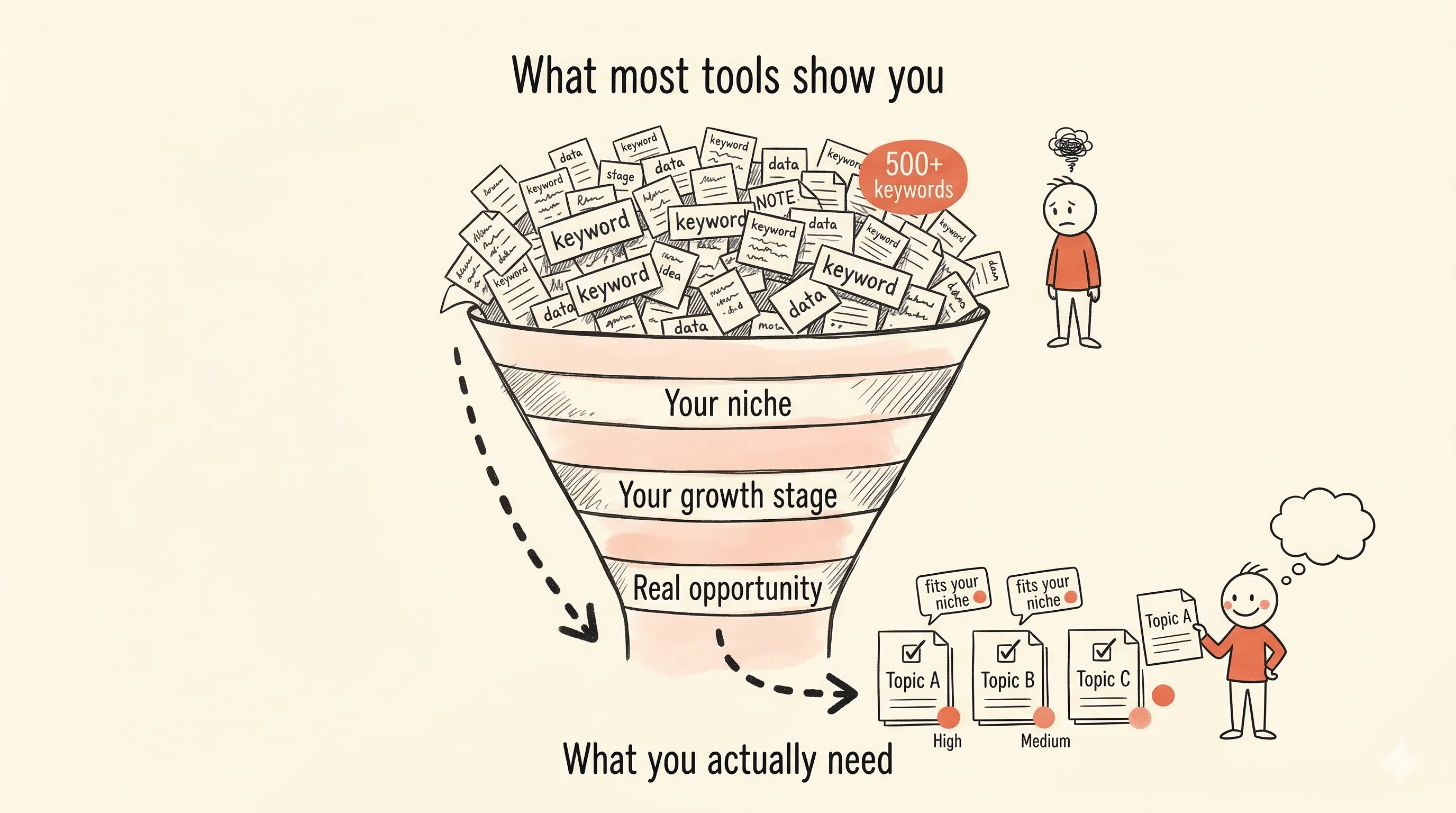
In SitePerfector's content strategy, the first filter is topical fit. The system uses AI to understand what your site is about — not just matching words, but understanding the semantic relationship between your content and a potential keyword.
The result isn't a score from 0 to 100. It's a straightforward answer: this keyword fits your site, or it doesn't.
If the system gets it wrong (it's AI, not a mind reader), you can override it. Tell it "this is relevant" or "this isn't," and it learns your niche better over time.
Irrelevant keywords are filtered out before you ever see them. The list you look at has already been trimmed to topics that make sense for your business.
Why your growth stage changes everything
Here's something most keyword tools ignore entirely: where your site is in its growth.
A site with five published pages and no rankings is in a fundamentally different position than a site with 80 articles and strong traffic. They shouldn't get the same suggestions — but in most tools they do, because the suggestions are based on the keyword's properties, not the site's readiness.
SitePerfector calculates your site's maturity from your actual ranking data and adjusts every recommendation accordingly. New sites get specific, low-competition topics. Growing sites get a wider range. Established sites can pursue competitive keywords they now have the authority to win.
The same keyword might be labeled "not right for you yet" when your site is new, and "good opportunity" six months later. The data didn't change. Your site did.
What you don't see (on purpose)
SitePerfector hides raw metrics by default. No monthly search volume column. No difficulty score. No CPC.
This isn't a limitation — it's the core design decision.
Those metrics power the recommendations behind the scenes. But showing them to you doesn't help you make better decisions. It makes you second-guess the decisions the system already made.
When you see a difficulty score of 62 next to a keyword the system recommended, what do you do? You Google "what is a good keyword difficulty score," read three conflicting articles, and end up more confused than when you started.
The alternative: trust that the system already factored in difficulty, volume, competition, and your site's ability to compete — and focus on the answer. Fits your site. Good opportunity. Move forward.
If you genuinely want the raw numbers, you can unhide them. But the default is clarity.
Two types of opportunity
Traditional keyword tools only surface keywords with measurable search volume. If nobody is searching for a specific phrase, it won't show up.
But some of the most valuable content you can create targets topics with little or no search volume — yet. These are authority-building topics: content that establishes your expertise in a niche, supports your other articles, and signals to search engines that you cover a subject thoroughly.
A dog trainer writing about "how to teach a nervous rescue dog to walk on a leash" might not see impressive volume numbers. But it's exactly the kind of specific, useful content that builds trust with readers and search engines alike.
SitePerfector surfaces both types: demand-backed keywords (proven search interest) and authority-building keywords (high topical relevance, lower or unknown volume). A content strategy built only on volume chasing misses half the picture.
From topic to published article
Choosing a topic is only useful if it leads somewhere. In most setups, "doing keyword research" and "actually writing content" are separate activities in separate tools. You find a keyword in one place, copy it to a spreadsheet, open your CMS, try to remember what you were going to do with it...
In SitePerfector, picking a keyword puts it directly into your content pipeline. From there, you can generate an outline based on what's already ranking for that topic, write the article, and track how it performs — all in the same system.
The shortest possible path from "this is worth writing about" to "this article is live and I can see how it's doing."
The fresh take
Most keyword tools give you data and expect you to figure it out. SitePerfector gives you a decision and lets you get on with the writing.
Two values, not twenty. Answers, not spreadsheets. And a clear next step instead of ten columns to stare at.
Keyword suggestions should feel like getting advice from someone who knows your site — not like reading a financial report about someone else's.